SFMC to Google Customer Match After the Data Manager API Switch
Google Customer Match has always been one of the highest-value uses of first-party data in a paid media program. Upload your hashed customer list, reach known customers on Search, Shopping, YouTube, and Gmail, suppress them from acquisition campaigns, or seed a similar audiences equivalent. The results speak for themselves when the data quality is there.
The problem is that, as of April 1, 2026, the integration pathway most teams were using no longer works. If you built a custom sync, are using a vendor who hasn't migrated, or simply let your Google Customer Match integration sit dormant for a few months, you may be hitting CUSTOMER_NOT_ALLOWLISTED_FOR_THIS_FEATURE errors right now and not knowing exactly why.
This is a post for SFMC practitioners who want to understand what changed, what still works, and what a proper go-forward sync looks like.
Why Google Ads Is Worth the Complexity for SFMC Teams
Before getting into the technical weeds, let's anchor on why this is worth solving properly.
Google's network is where a substantial share of your customers is reachable at the moment of intent — Search and Shopping in particular. Customer Match lets you overlay your CRM data onto that intent signal. A customer who just moved through your welcome journey and purchased once is a completely different audience than a cold prospect running the same search query. You can bid differently, suppress them from acquisition spend, or reach them on YouTube before they search again.
For B2C brands with large SFMC deployments and meaningful Google spend, the ability to push Data Extension segments directly into Google Ads — continuously, without manual exports — is a significant operational and performance lever. Getting that right post-migration is worth the effort.
What Google Customer Match Actually Accepts
Google Customer Match accepts hashed identifiers. The specific list key types in the Data Manager API model are CONTACT_ID (hashed email), USER_ID, and MOBILE_ID. Beyond individual keys, Google can also accept combinations of first name, last name, country, and ZIP code as a match signal.
Hashing must be SHA-256, normalized before hashing (lowercase, trimmed whitespace for email addresses). Google validates the format on ingestion, so errors in normalization — trailing spaces, mixed case, plus-addressed emails not stripped — silently degrade your match rate. The realistic match rate on email alone sits in the 40–55% range depending on how well your email data maps to Google account identities; richer key combinations improve it. See how to improve ad match rates for a deeper treatment.
Audience types you can build with Customer Match:
- Retargeting lists: reach existing customers across Google properties
- Suppression lists: exclude converters from acquisition campaigns, control frequency for churned segments
- Similar segments: Google uses Customer Match lists as seeds to build expanded audiences of users with similar behavior (availability and exact behavior subject to Google's current policies — check their documentation)
The Manual Method: What It Actually Takes, and Where It Breaks
Let's be honest about the manual workflow before selling past it.
The steps:
- Export your Data Extension from SFMC as a CSV
- Normalize the identifier fields (lowercase email, strip whitespace, standardize phone format)
- SHA-256 hash each field
- Upload the file through the Google Ads UI
This works. For a one-time suppression list or an occasional campaign, it's defensible. But in practice, manual uploads fail in predictable ways:
- Staleness: your segment logic ran at export time. Anyone who unsubscribed, converted, or hit a suppression rule since then is still in the list.
- Opt-out propagation: if a contact opts out of marketing or requests deletion, that propagation does not happen automatically. You have to remember to re-export and re-upload. Under most privacy frameworks, this is not optional — it is a compliance requirement.
- Human error: normalization mistakes, wrong column order, encoding issues, uploading to the wrong account.
- No audit trail: you have no log of what was sent, when, or by whom.
- No Journey Builder integration: you cannot trigger audience adds or removes based on real-time journey steps.
For any organization running Customer Match at scale — multiple active segments, regular refreshes, suppression lists that need to stay current — manual uploads are a liability, not a process.
The Data Manager API Migration: What Changed on April 1, 2026
This is the part that catches teams off guard.
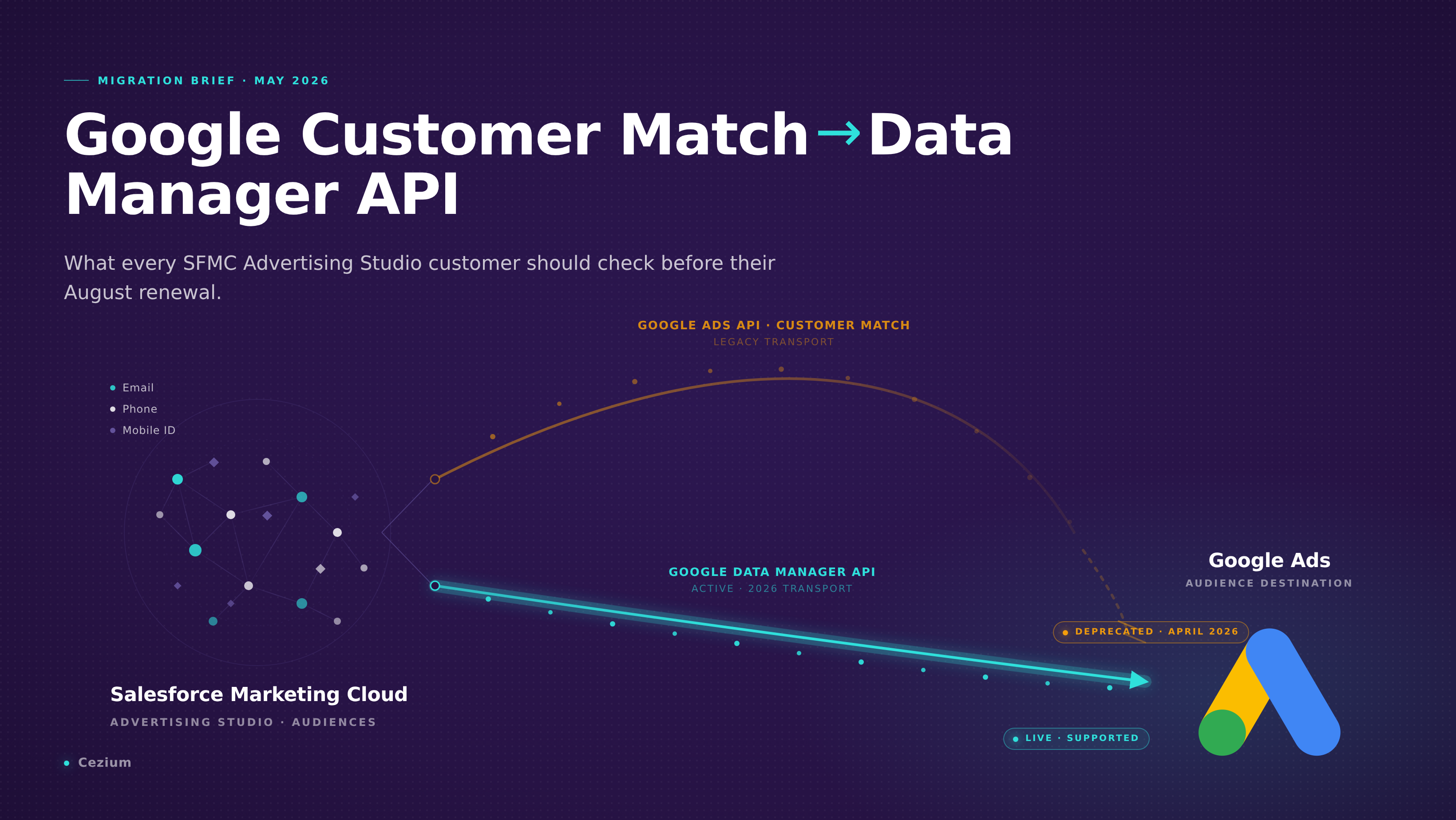
Google deprecated Customer Match ingestion via the Google Ads API in favor of the Data Manager API. The hard cutover happened April 1, 2026:
- New integrations cannot use the Google Ads API for Customer Match at all
- Dormant integrations — accounts that had no Customer Match upload between October 2025 and March 2026 — get a
CUSTOMER_NOT_ALLOWLISTED_FOR_THIS_FEATUREerror when they try to upload again - The full sunset of the legacy Google Ads API pathway is expected within months
The Data Manager API is a meaningfully different integration surface. It requires:
- The
datamanagerOAuth scope — existing OAuth connections authorized under the Google Ads API scope do not carry over. Any user granting access must re-authenticate with the new scope. - A formal product link at the Google Ads account level — this is a structural account configuration change, not just an API call.
- Explicit consent fields in every ingestion call — not optional, not defaultable. Every upload payload must include consent signaling.
- List key types specified explicitly: CONTACT_ID, USER_ID, MOBILE_ID
If you built a custom integration or are relying on a vendor who hasn't migrated to the Data Manager API, your Google Customer Match sync is either already broken or will break shortly. We've written a detailed technical breakdown of the migration specifics in the SFMC Advertising Studio Google Customer Match migration guide.
There is a relevant second factor here: Salesforce Advertising Studio is being discontinued. Salesforce stops selling and renewing Ad Studio on August 15, 2026. If your current Google sync runs through Advertising Studio, you are now facing two migrations simultaneously. See the Ad Studio end-of-life post for context on timelines and options.
The Native SFMC Approach with Cezium Ads
Cezium Ads is an audience activation layer built inside SFMC, listed on the Salesforce AppExchange (passed AppExchange security review). It handles the Google Customer Match integration — including the Data Manager API requirements — without requiring any infrastructure on your side.
Here is how the sync actually works:
Setup: Install the AppExchange package (one-click, no infrastructure). An admin on your Google Ads account grants access via OAuth 2.0. Cezium Ads handles the datamanager scope, the product link setup, and consent field requirements as part of the connection flow. Go-live is typically about a week.
Audience creation: You define an audience in Cezium Ads pointing at a Data Extension in your SFMC instance. The platform generates an automation inside your own Marketing Cloud instance — not on Cezium's infrastructure.
Hashing: SHA-256 hashing happens inside your Marketing Cloud instance, before any data leaves. Cezium stores no customer data.
Sync: The audience syncs continuously. No CSVs, no scheduled exports. When a contact opts out or a deletion request comes through, it propagates automatically on the next sync cycle.
Journey Builder activity: A native Journey Builder activity lets you add or remove contacts from Google Ads audiences as a journey step. A customer who converts mid-journey gets suppressed from acquisition audiences immediately, not at the next weekly export.
Audit trail: Every sync is logged.
Pricing starts at $500/month for five active audiences ($100/audience/month), with volume discounts. Annual contracts. For teams replacing Ad Studio, the pricing is typically at least 40% below previous Salesforce fees.
Platform-Specific Gotchas
A few things worth knowing before you go live:
Re-authentication is not optional. Every admin who granted OAuth access under the old Google Ads API scope needs to re-grant under datamanager. There is no way around this step. Budget for it in your migration plan.
Account structure matters. Customer Match operates at the Google Ads account level. If you run a multi-account structure (multiple customer accounts under a manager account), you need to be clear about which accounts are receiving audiences and ensure the product link is established at each relevant account.
Consent fields are validated. Google requires explicit consent signals in each ingestion call under the Data Manager API model. How you capture and store consent in SFMC needs to map cleanly to what the API expects. If your consent data is inconsistent or missing, uploads will fail or be rejected.
Match rates are platform-determined. The match rate you see is set by Google's identity graph and the keys you send — not by the integration layer. Sending only email typically returns 40–55% match rates. Adding phone and name/geo combinations improves this. See the guide on improving ad match rates for field-level recommendations.
FAQ
My Google Customer Match uploads stopped working recently. Is this the Data Manager API migration?
Very likely. If your account had no Customer Match activity between October 2025 and March 2026, it was reclassified as dormant and blocked from the legacy API path. New integrations also can't use the Google Ads API anymore. You need to migrate to the Data Manager API — either via a tool that's already done it (like Cezium Ads) or by rebuilding your custom integration against the new API surface.
Can I keep using Advertising Studio for Google Customer Match?
Salesforce stops selling and renewing Advertising Studio on August 15, 2026. Even if you could technically keep it running past that date, building on a sunset product during an API migration is a compounding risk. Now is the right time to migrate both at once.
Does the Journey Builder activity work for suppression lists, not just retargeting?
Yes. The Journey Builder activity in Cezium Ads lets you add or remove contacts from any audience type — retargeting, suppression, or similar-audience seeds. You can suppress a contact the moment they convert, rather than waiting for a batch export.
What happens to contacts who opt out or request deletion?
With a continuous sync like Cezium Ads, opt-outs and deletion requests propagate automatically on the next sync. With manual uploads, they don't — you have to re-export and re-upload, which means there's always a window where the contact is still in the audience. For organizations with meaningful deletion request volume, the manual process is a compliance liability.
For more on the Ad Studio transition, see the migration checklist and alternatives overview.

Ready to transform your CRM audience activation?
Join marketers who've simplified their workflow with Cezium Ads